Graycare (graycare.net) is a participant in the Amazon Services LLC Associates Program, an affiliate advertising program designed to provide a means for us to earn fees by linking to Amazon.com and affiliated sites. Learn More
This post is the second of a three part series:
1. Todoist: The Todoist for Caregivers (1 of 3)
2. Make a Gratitude Journal using Todoist (2 of 3)
3. Make a Shopping List using Todoist (3 of 3)
Todoist is the simplest app for creating a todo list, and actually using it.
I'm a 35 year old part time family caregiver, full time office professional who lives with my wife, dad, and my mom. I recommend each of them us Todoist to keep track of your stuff.
Lots of people talk about "caregiver self care" like it's just taking a bath or a checklist of things to to momentarily revive then continue caregiving.
Todoist will get rid of the notion that self care is some nebulous idea. Using Todoist, you'll effectively organize your self care and other responsibilities.
I wanted to break down one simple thing.
A gratitude journal helps you feel better over time, because you gradually build a better habit of keeping a better attitude toward your overall caregiving circumstances and life.
I'm not the only person talking about gratitude journals, but today I'm talking about them specifically for caregivers.
I'm showing you how to use them with this simple app.
If you want to start your caregiver gratitude journal, then you need to sign up for Todoist (the FREE version is totally fine, nothing to buy here).
You can get Todoist for your Caregiver Gratitude Journal on Todoist.com.
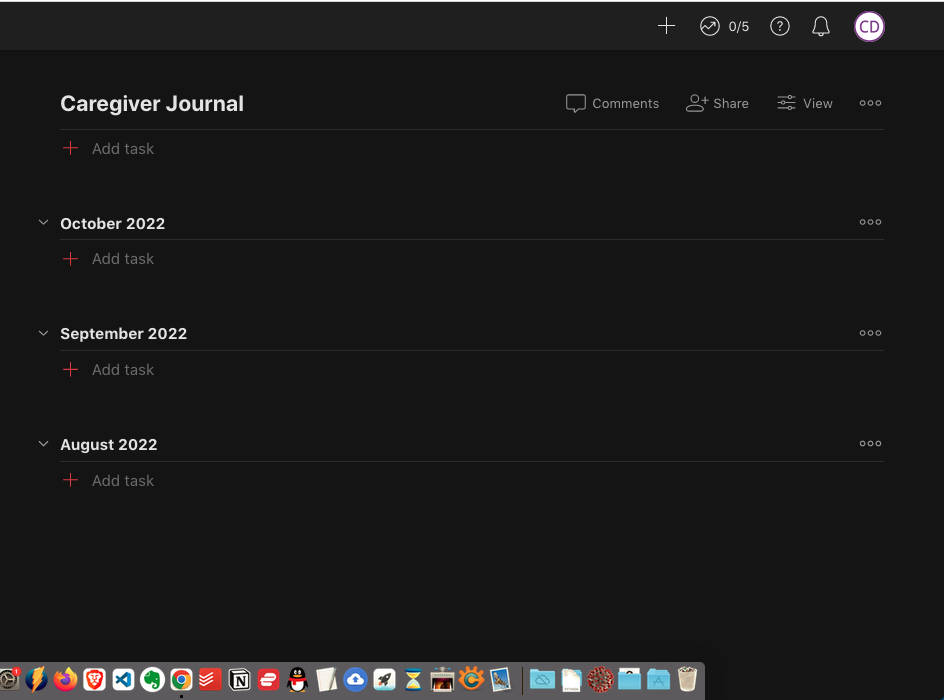
Projects are an overall goal or part of your life.
If your on a computer browser, then your Projects are on the left side. Find the [+] icon called Add Project, and click it.
Type in your Project name like “Journal” or “Gratitude” is enough. Then tap OK.
Congrats you’ve created a Project. It’s the place you’ll jot down things you're grateful for whenever they come to your head.
Sections let you divide your tasks into separate buckets.
If you’ve already created Project oh, actually you're good to go you could just start adding tasks jot down what you're grateful for.
But if you like to be extra organized like me, try Sections.
Sections let you divide up a project into Sections.
In my own caregiver gratitude journal, I have divided it up by month. I like to go back month-over-month and look at my gratitude journey, so to speak.
Over time as I enter more things that I'm happy about, I remember nice things more often. I'm still a caregiver, but I've got a better attitude.
To add a Section, click the three dots in the top right-hand corner. It's under your profile image.
Once you click the three little dots, a pop up menu will show Add Section. Go ahead and click Add Section.
Then type in your Section's Name, anything you want like. I like to keep mine divided by months, but you can figure out what works for you. Or you could divide it up into parts of your life, like self care, caregiving, career, family, friendships, etc.
Remember you've got to Save.
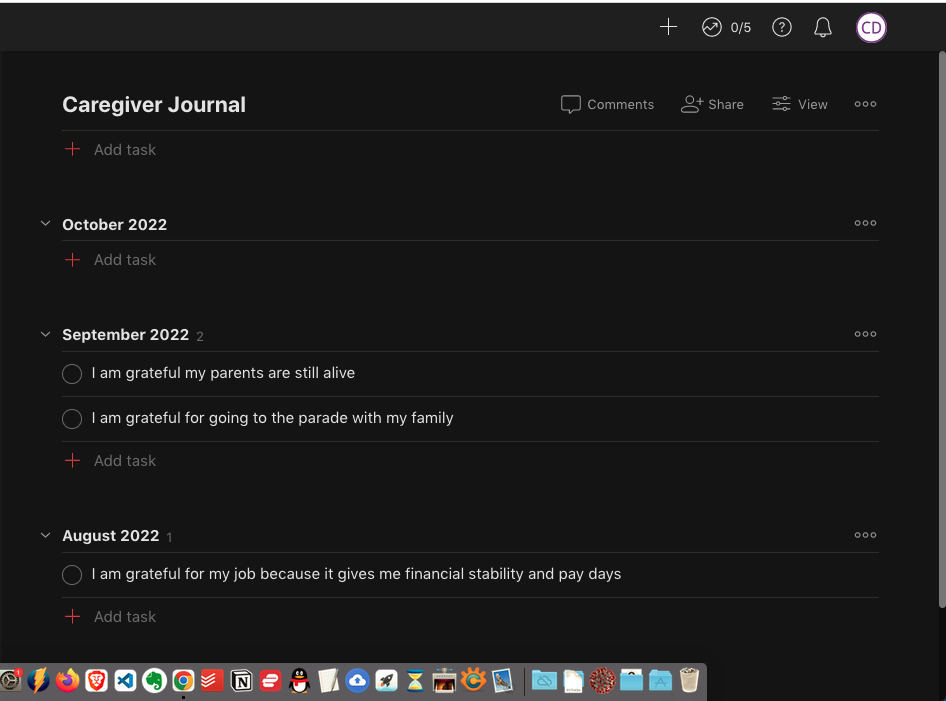
Tasks are how you write down your thoughts
Now wherever you see a [+] plus sign, that's where you can add a task. You use tasks day-to-day to write down what you're grateful for.
There are [+] signs all over the Todoist interface, so you have plenty of opportunity to jot down the things in your life that make you happy.
1Second App is another one you can use for gratitude along with other people accross the world. The Paul Simon song Slip Sliding Away tells a story about 3 people who drift away from their passions when faced with the complexities of their life. As a caregiver, it can be easy to ‘drift’ away from our own lives as we care for others. Please try to find some time everyday to feed your own soul …your own passions….your own life. The last few days in the morning, I have been looking at the sunrise, finding something to take a photo of that makes me happy, and writing a very short journal entry in my 1Second App about how the day before went. Trying to change some negative habits.