Graycare (graycare.net) is a participant in the Amazon Services LLC Associates Program, an affiliate advertising program designed to provide a means for us to earn fees by linking to Amazon.com and affiliated sites. Learn More
This post is the third and final of a three part series:
1. Todoist: The Todoist for Caregivers (1 of 3)
2. Make a Gratitude Journal using Todoist (2 of 3)
3. Make a Shopping List using Todoist (3 of 3)
In Michigan, our local supermarket franchise is named Meijer. I’m pretty sure there are Meijer’s in other Midwest States.
You can get most of your shopping done at Meijer or Walmart, as long as it has a Fresh and Home center. We’re talking a supercenter with pharmacy, fruits and vegetables, groceries and more. You know the kind.
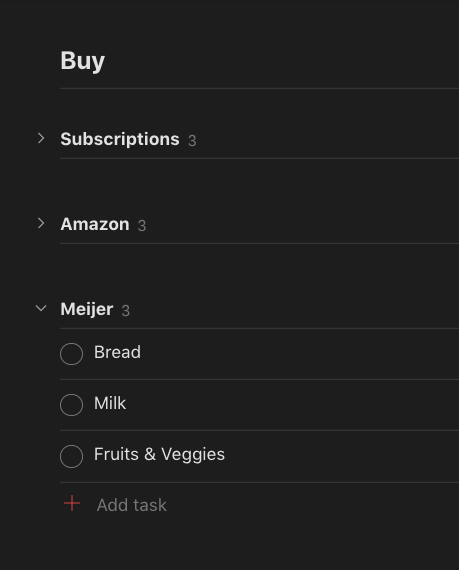
We're setting up a caregiver shopping strategy using the top caregiver recommended todo list app.
You can plan to buy what you need where you get the best product or price.
In families with caregiving, when you’re fortunate enough to have several people shopping for, Todoist makes it really easy to ask them what they need from Meijer and then to jot it down real time into the app.
Read our previous article in the Caregiver Todoist series, to learn how to setup a Project, and how to setup Sections before you start your new Shopping List.
Once you’ve setup a Section for Meijer, then you just tap the [+] icon to jot down an item you need to buy.
“Hey Mom, did you need anything from Meijer?” I can easily jot them down from my computer or my phone with Todoist.
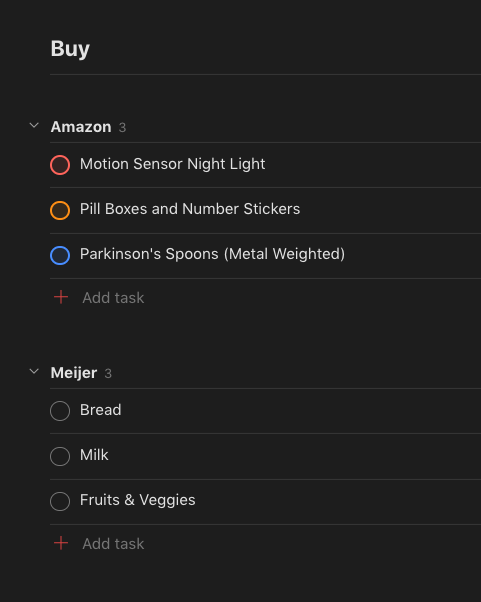
For my caregiving family, I make another Section for online purchases, usually through Amazon.com. There are many unique items available on Amazon and the broader internet that simply aren't available at Meijer, or anywhere else is local Michigan For Pete’s Sake.
I make another Section my Shopping List Project for a Caregiver’s Online Shopping List, and I call mine Amazon.
You can click into a task and make it a P1 red color, P2 orange color, P3 blue color, or P4 just regular.
I know my own Amazon shopping list can rack up some very expensive items. Between electronics, guilty pleasure snacks, self-care stuff, and everything else caregivers need to manage a household.
I use the P1, P2, P3, P4 ranking system to decide which to buy paycheck to paycheck. I’m trying to budget well and only buy the things my family and I would get the most joy out of.

For people of all ages, keeping track of all your recurring subscriptions, memberships, and monthly/quarterly/yearly payments is a real headache.
I use Todoist Due Dates to keep track of my recurring payments due. You just have to type in Plain English how often you need to pay a certain bill.
For a monthly payment that comes on the first day of the month, type “1st of every month”.
For a quarterly payment that comes the last day of the month, type “every 3 months on the 30th”.
There are tons more ways to make recurring reminders in Todoist. You can just try typing Plain English of what you want and most of the time it works.