Graycare (graycare.net) is a participant in the Amazon Services LLC Associates Program, an affiliate advertising program designed to provide a means for us to earn fees by linking to Amazon.com and affiliated sites. Learn More

With Blink, saving clips to a local USB flash drive or MicroSD card is easier than you think.
When you already have a Blink Sync Module 2 #ad, then all you need to do is insert the USB flash drive or MicroSD card into the Sync Module’s USB port.
Simply plug a USB drive into the USB port on your Blink sync module to store your camera feed locally.

Before my Blink subscription trial period ended, I propped up my Sync Module 2 upright.
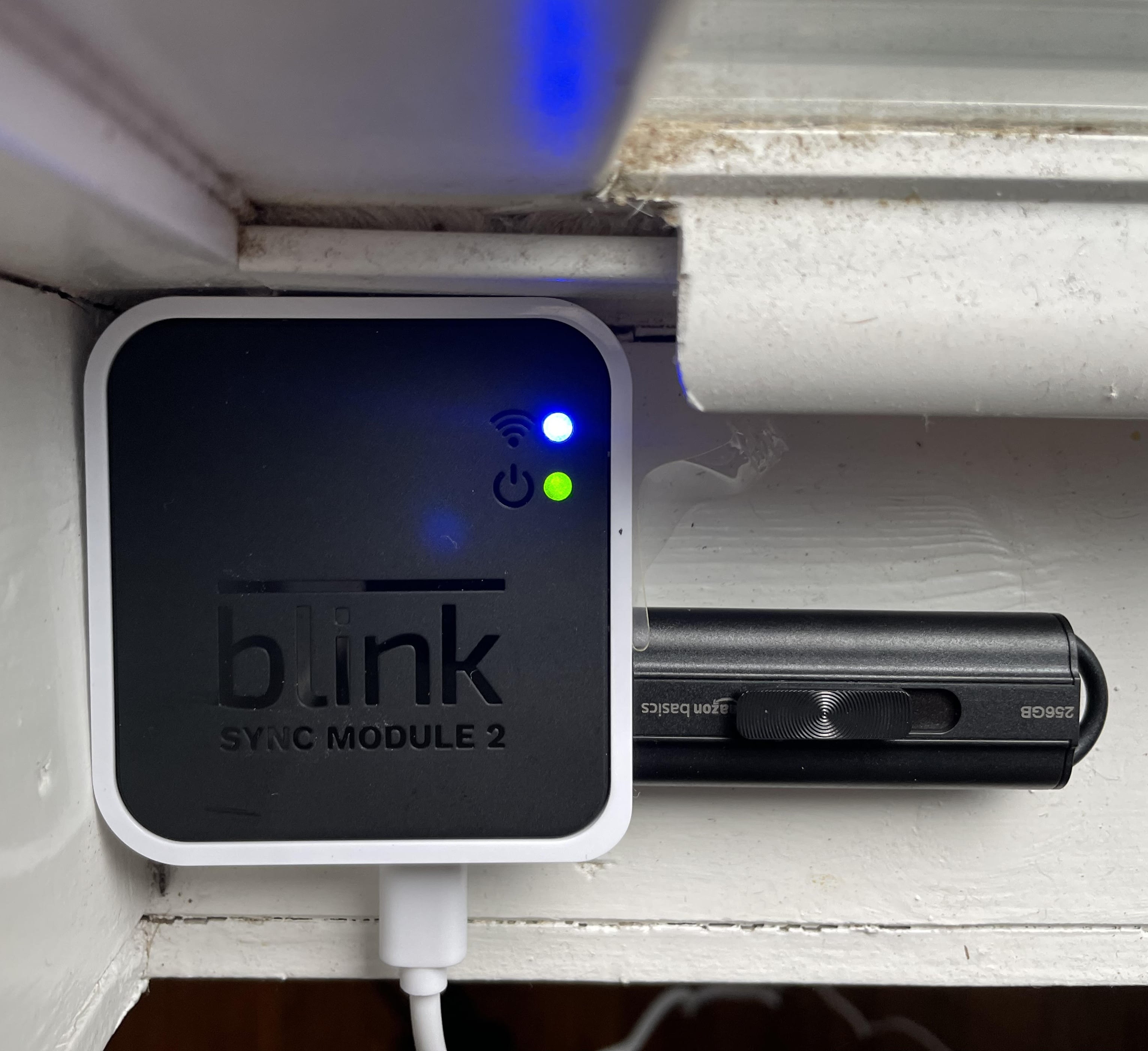
Now that I save clips locally onto an Amazon Basics USB flash drive (256GB) #ad, I set down my Sync Module 2 on its side.
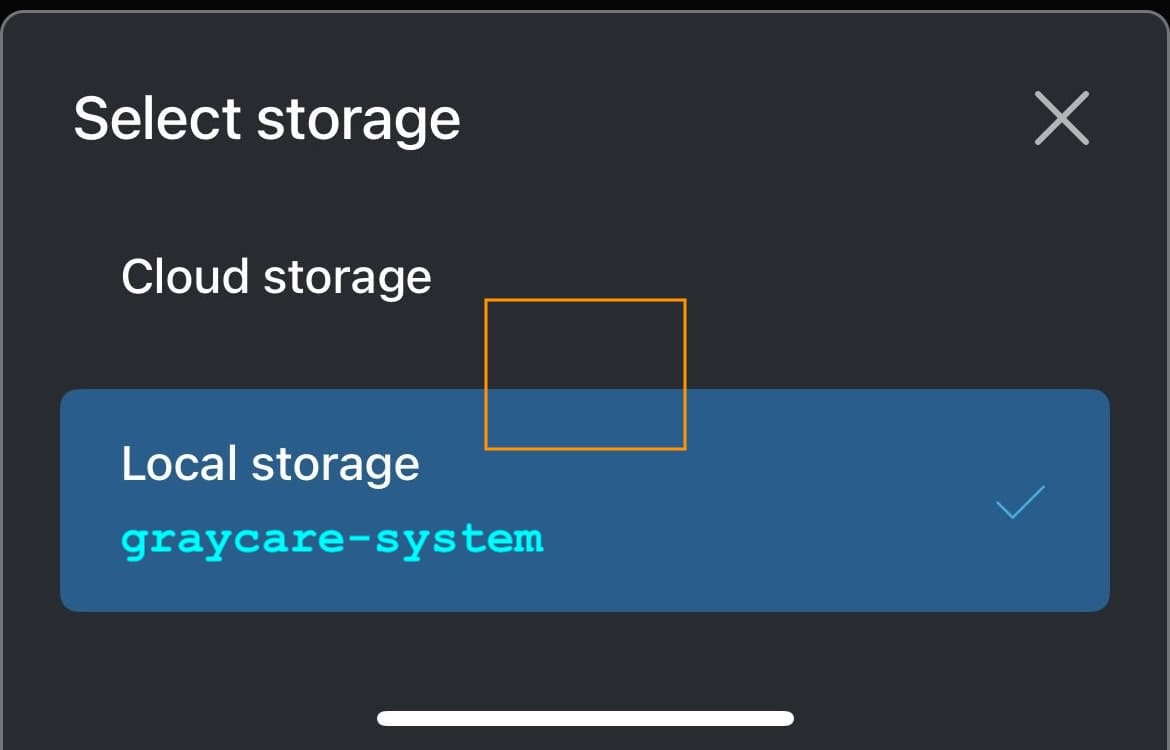
You can switch back and forth between “Local storage” on the USB flash drive and “Cloud storage” on a Blink subscription.
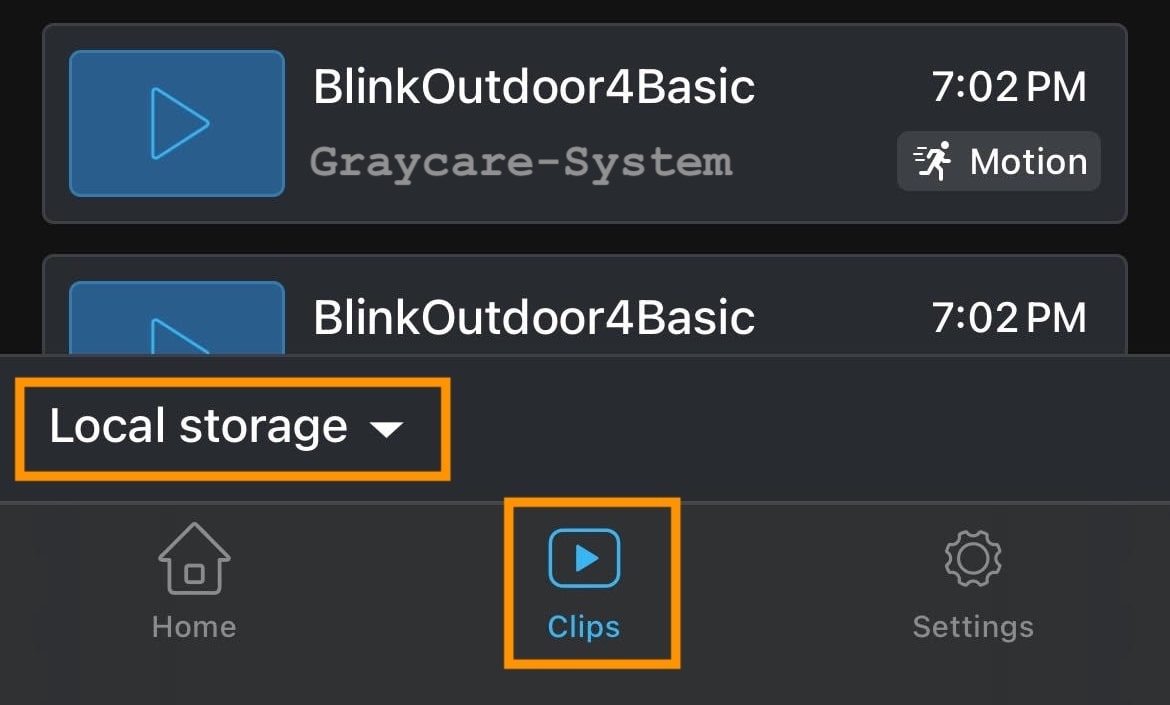
Motion clips will automatically start saving locally onto the USB flash drive or MicroSD storage device. To access clips saved on the USB flash drive, to the Blink app’s Clips tab, and switch to Local storage (by tapping Cloud Storage).
When you have a Blink subscription #ad, the clips stored locally will be copied as a backup clip onto the Blink subscription cloud. But if you don’t pay for a Blink subscription, then you can view the exact same clips locally on the Blink app or by safely ejecting the USB flash drive and viewing the USB flash drive’s video files on your computer.
Only when you have a paid Blink subscription can you view live and save what you’re seeing live into a clip.
With a Blink subscription, you simply tap the “Save live view” button from inside the live view, and it will save locally onto a connected USB flash drive and/or save on the cloud.
Without a Blink subscription, the “Save live view” feature is unavailable.
Instead, use your smartphone’s native screen recording feature to record yourself using the Blink app in live view. It’s a viable workaround method to save live view clips without paying for a Blink subscription.
I’m glad I don’t pay for a Blink subscription. At the same time, I recognize that my overall Blink home monitoring system experience would be better with a Blink subscription.
Once the free trial ends, a Blink Plus subscription for multiple cameras costs $100 per year or $10 per month. I’m already beyond the Blink Basic subscription, which costs just $30 per year or $3 per month.
Some people report video clip playback is slower from local storage, but videos stored on my Amazon Basics USB flash drive playback fast with no problems.
**Disclaimer: Prices are estimated and do not reflect prices of the brand or retailer***
You can connect up to 10 cameras to each Blink Sync Module 2, and the clips from each camera save locally to the USB drive.
If you have more than 10 cameras, simply purchase another sync module and USB. Whichever camera is connected to the sync module will store locally onto that sync module’s USB drive.
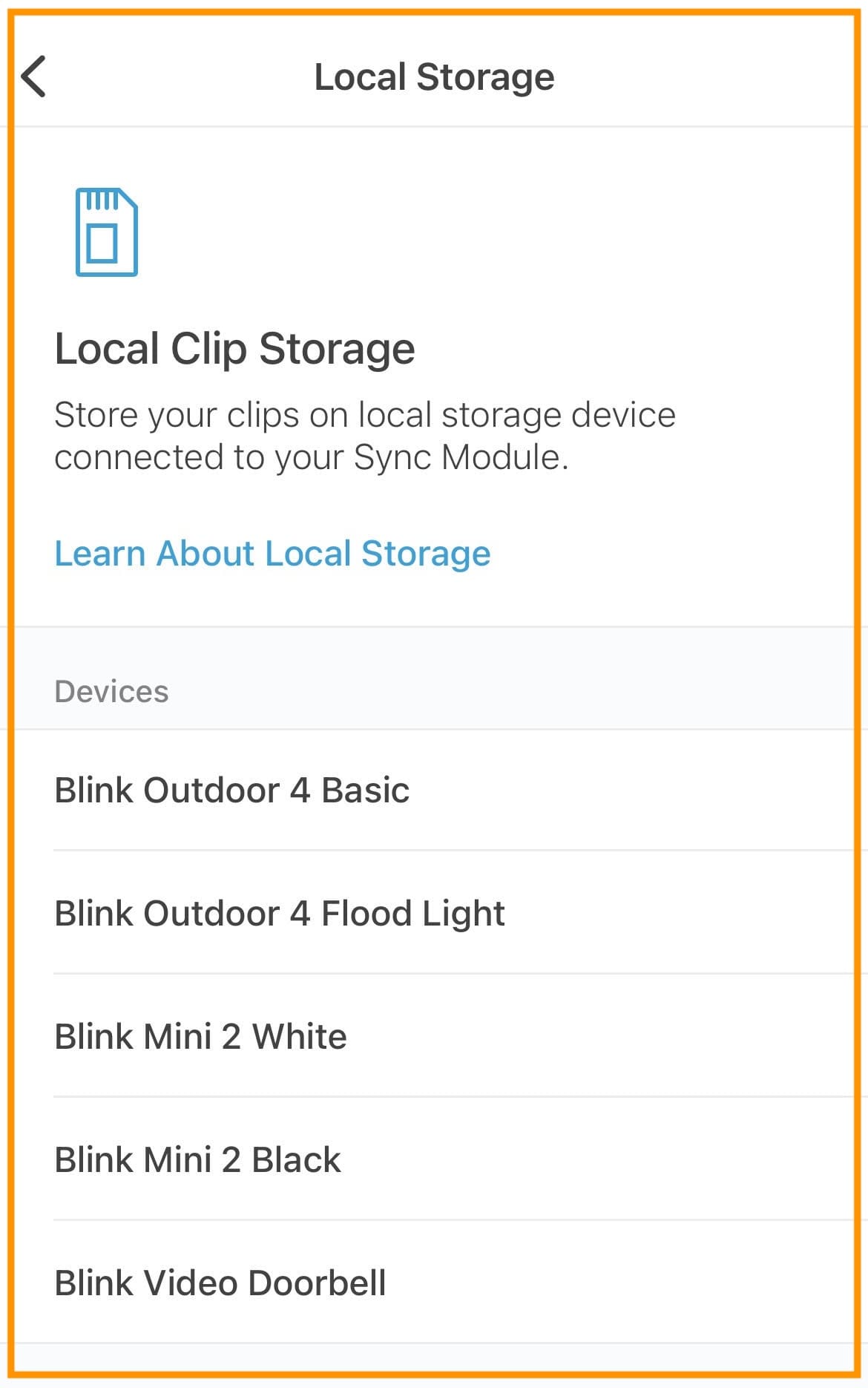
With a Blink subscription, you can playback clips saved on the cloud up to 60 days after recording. That’s the main perk of a Blink subscription, in my opinion.
Without a Blink subscription, when you only save clips locally onto a USB drive or MicroSD card, then you will need to delete old clips to clear up space once the storage is full.
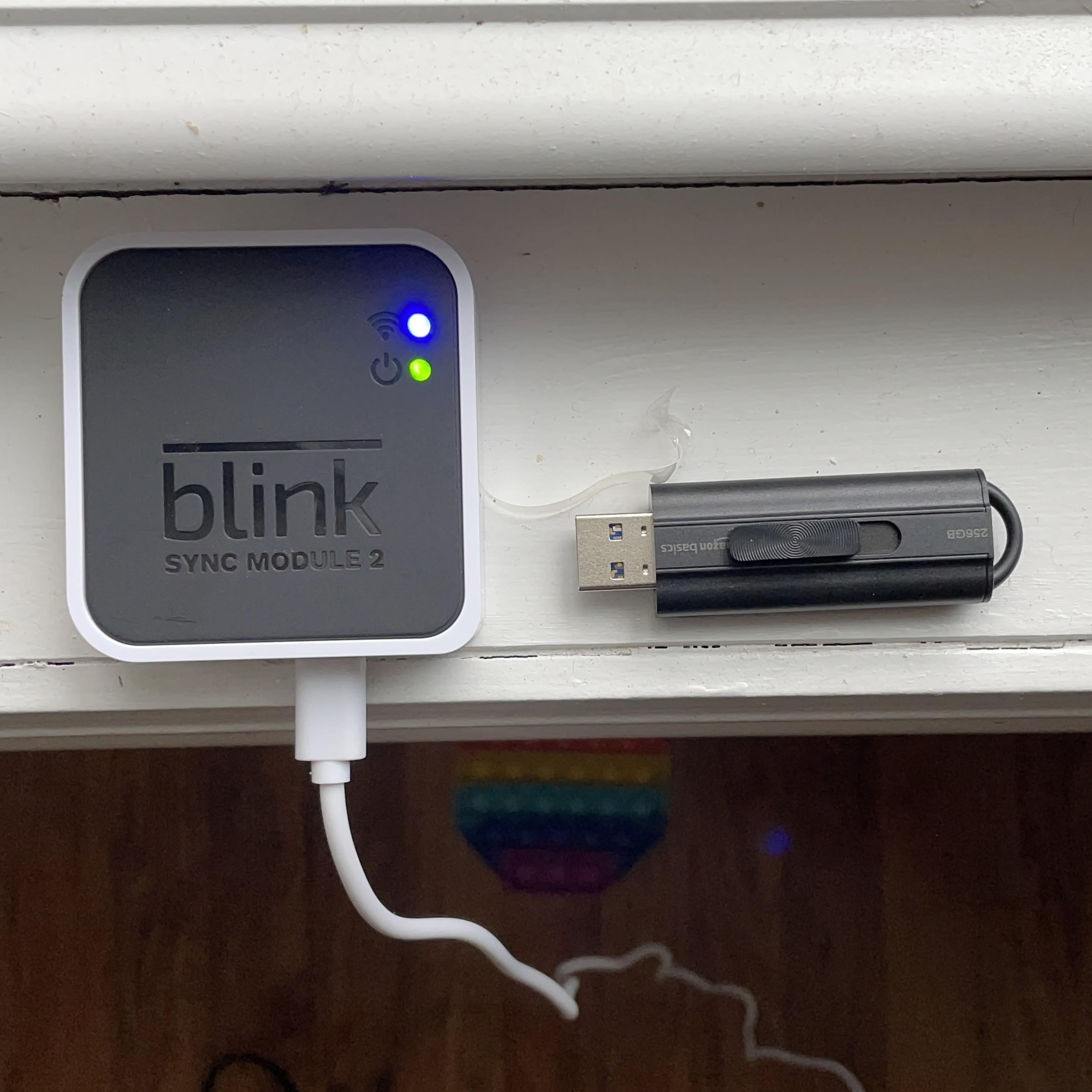
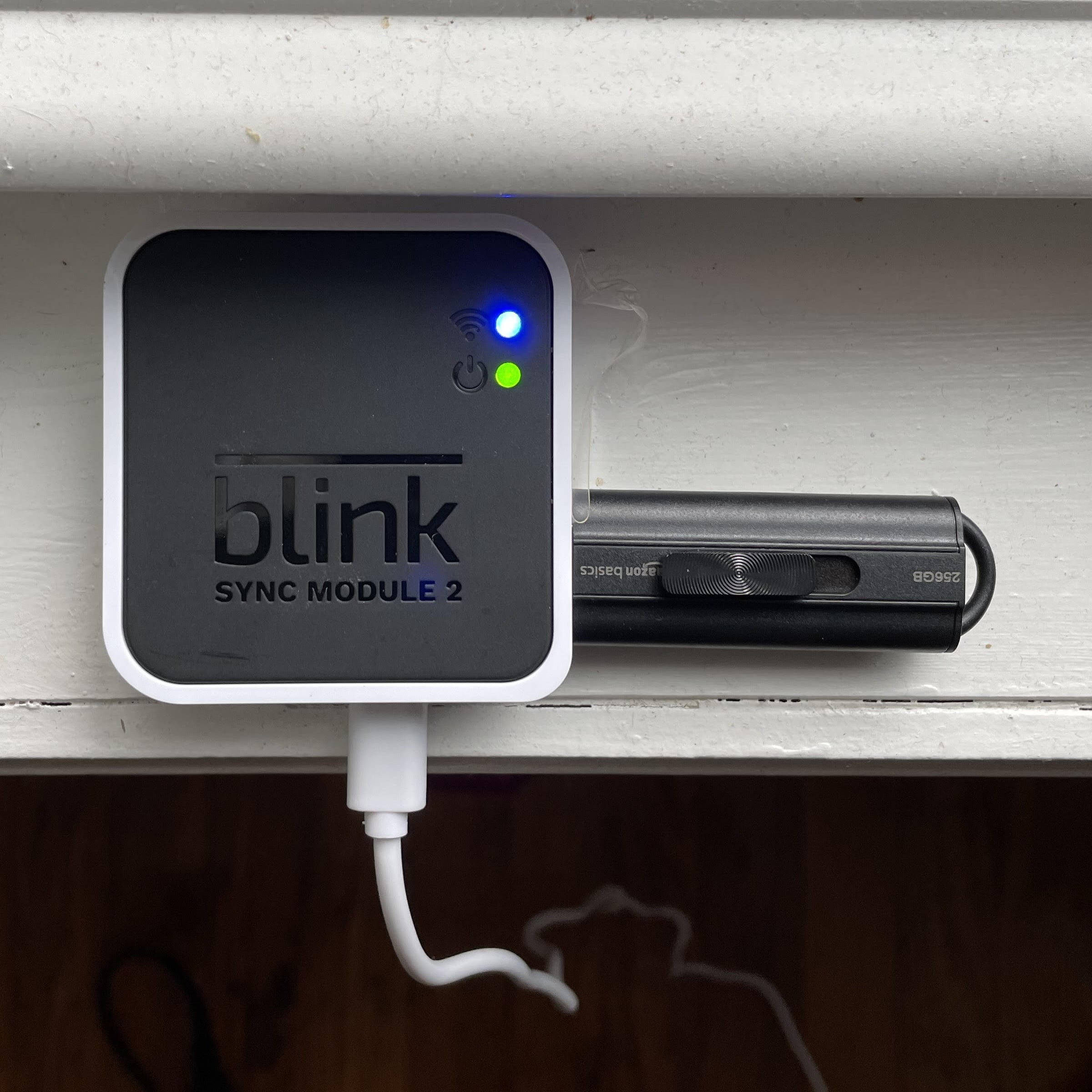
You can store Blink clips locally with or without a Blink subscription. I’m one of the people who enjoys Blink for free month-to-month by saving my clips to its USB drive and not paying for a Blink subscription.
All you need to do is connect the USB storage device (regular USB flash drive or a MicroSD card 256GB to 1GB in capacity).
If you start saving clips locally, my opinion is the subscription is unneeded, unless you live in a dangerous neighborhood, then the extra security of a cloud backup, and the ability to save live views is more useful in the face of immediate danger.
If the methods outlined in this post didn’t successfully save Blink clips locally, then visit the Blink official support website for local storage troubleshooting.